
NETWORK OPERATIONS CENTER
INSTRUCTIONS (VPN)
After completing the installation process, follow the steps below to connect to the University of Athens network:
Double-click on the icon that is now on your computer's desktop.

In the bottom right of your desktop, where the time display is located, a new icon will appear

Left-click on the icon and then select "Connect".
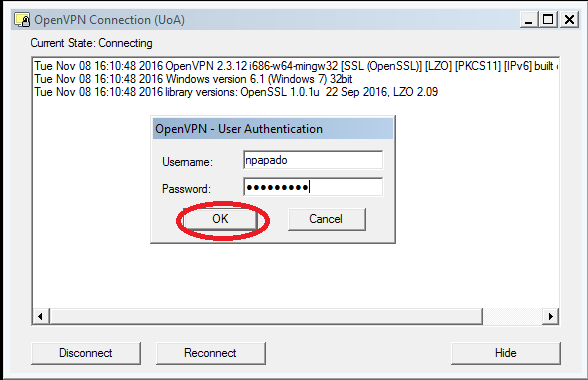
In the new window that appears, fill in the username and password fields with the details of your account in the Network Operations and Management Center.
Check IP Address
If you want to check that you have received a university IP address, you can visit: